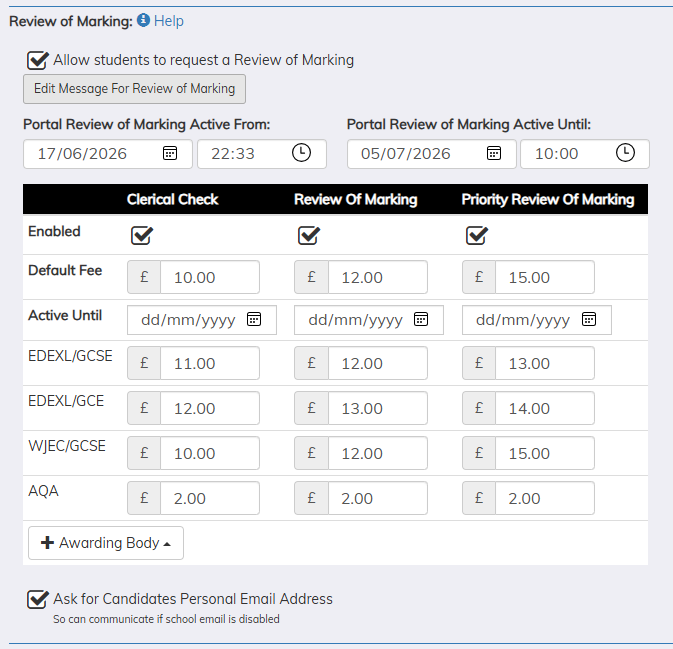
Centres can enable candidates to submit Clerical Check, Review of Marking and Priority Review of Marking requests through the Candidate Portal.
The Centre can enter a start date and time, along with an end date and time, to control when candidates are able to submit requests.
The Centre can also select which services are available to candidates and enter a default price for each service.
If the fee charged varies by awarding body or qualification and service then the awarding body can be added and the Fee you charge for the service can be entered. If the Awarding Body for the result does not match one of those added then the Default Fee will be assigned to the request. The Centre can update the appropriate fee when reviewing the request. The Fee is the total fee they will charge the candidate/parent i.e. the cost of the service from the exam board plus any service/admin fee that the school adds on.
There is also the option to prompt the candidate to enter/confirm their personal email address. This allows an alternative email address to be collected / used when the student becomes a leaver and the school email address deactivated.
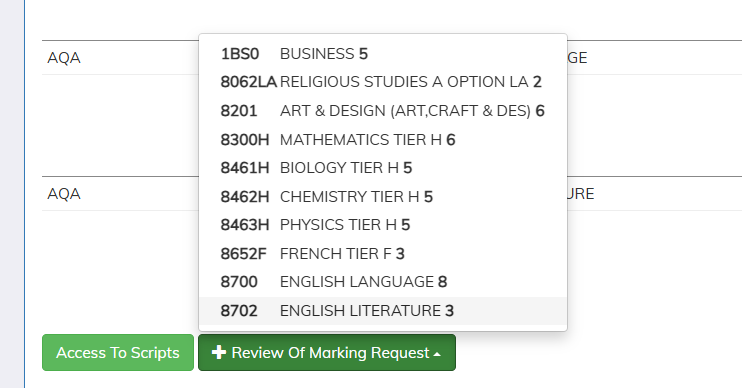
At the bottom of their results a candidate gets a button to add a Review of Marking Request
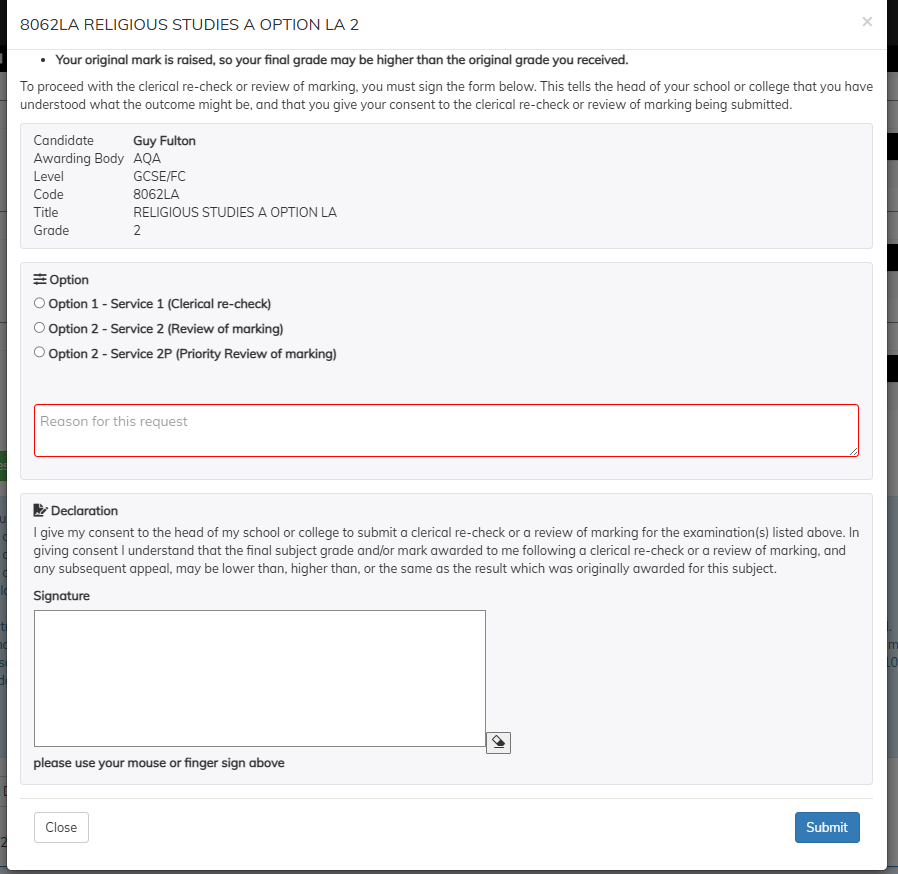
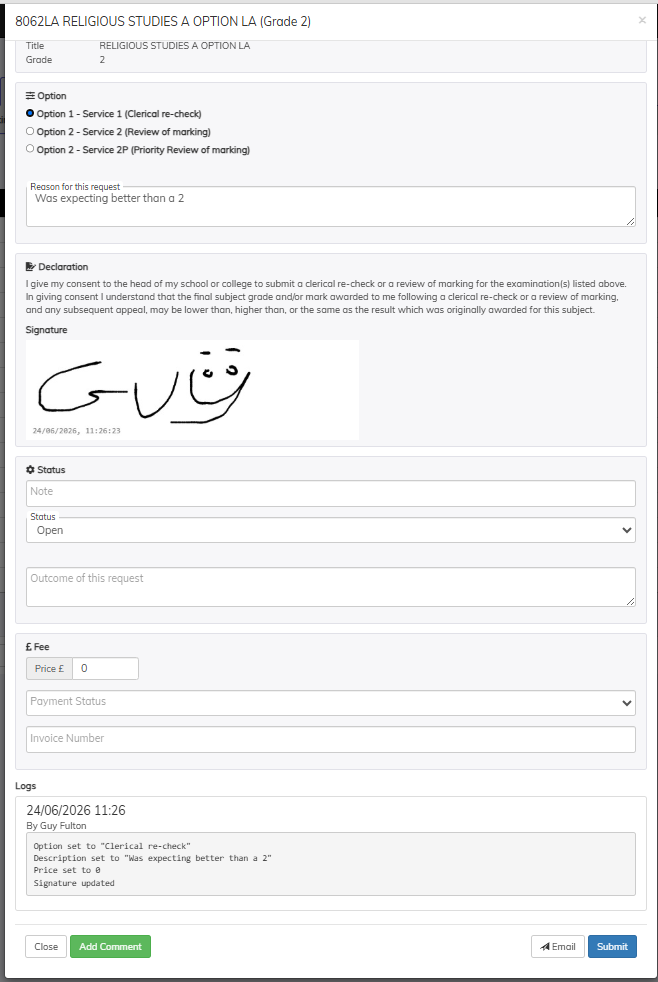
The candidate can then choose the service - enter a reason and sign the request.
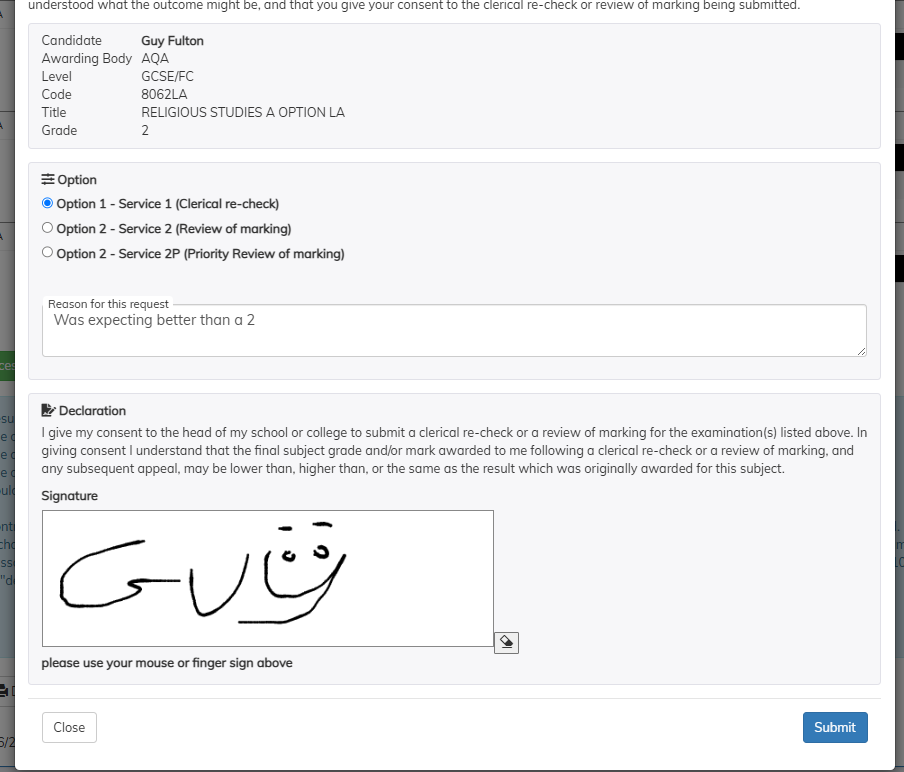
Once requested a list of the requests is shown under their results.

In the Results > Review Of Marking tab the list of the requests is shown.
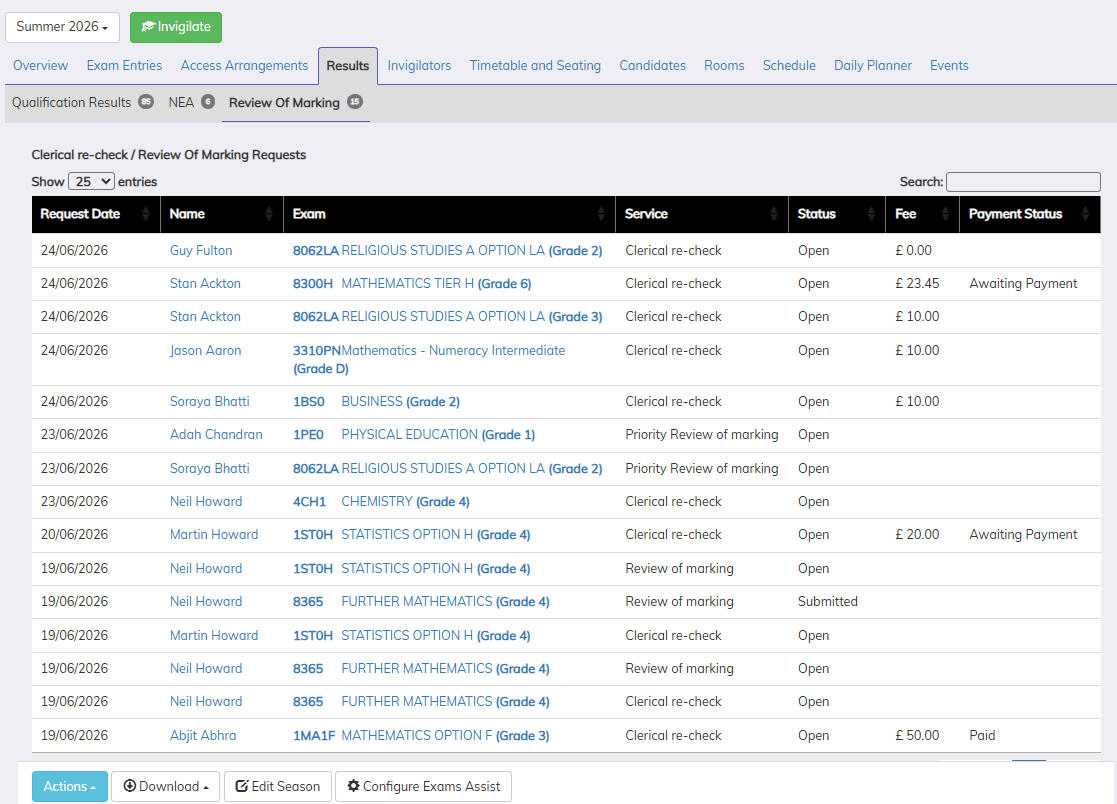
Click on a row to get the popup for the details of the request and to set Price, Payment Status, Status & add comments.

 SchoolWorkSpace